
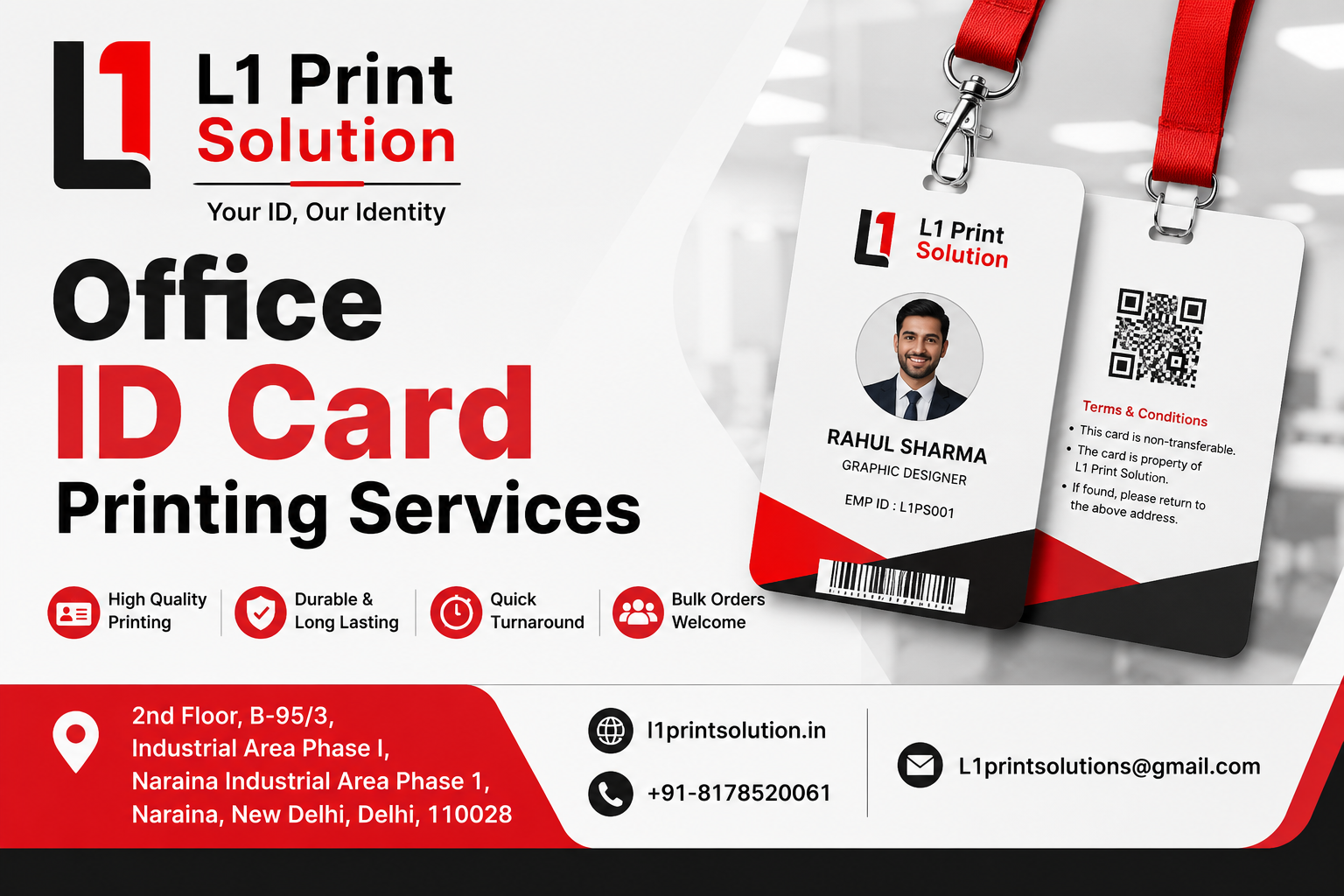
Picture this: it’s a Monday morning, a new employee walks into your office for their first day, and the first thing they need is… an ID card that hasn’t been printed yet. Sound familiar? For a lot of growing businesses, employee identification is one of those “we’ll get to it later” tasks — until a client visit, a security audit, or a simple access-control issue makes it urgent.
That’s where Office ID Card Printing Services come in. Whether you’re a startup with ten employees or an enterprise with ten thousand, having a dependable system for Corporate ID Card Printing isn’t just about looking professional — it’s about security, access control, and creating a sense of belonging for your team. In this guide, we’ll walk you through everything you need to know, minus the jargon, so you can make a smart, confident decision for your business.
What Exactly Are Office ID Card Printing Services?
At its core, an office ID card printing service helps businesses design, print, and issue identification cards for their employees, visitors, or contractors. But there’s more to it than just slapping a photo and a name on a plastic card.
A good service handles the entire journey — from collecting employee data and photos, to designing a card that matches your brand, to printing it on durable, tamper-resistant material, and sometimes even integrating it with access control systems like RFID or barcode scanners. Think of it as the difference between a home-printed sticker and a professionally laminated card that survives years of daily use in a wallet or lanyard.
Why Businesses Can’t Ignore This Anymore
A few years ago, ID cards were mostly about identification. Today, they do a lot more heavy lifting:
- Controlling who enters restricted areas of your office
- Verifying employee identity for clients and vendors
- Tracking attendance when linked to biometric or RFID systems
- Building a professional, unified brand image across departments
- Meeting compliance requirements in regulated industries
In short, what used to be a “nice to have” is now closer to a “must have,” especially for offices that deal with sensitive data, visitors, or multiple building access points.
Types of Office ID Cards and Where They Fit
Not every business needs the same kind of card. A small design studio might just need a simple printed card with a photo and name, while a manufacturing company may need something rugged that survives factory conditions. Here’s a quick breakdown to help you understand the options.
Comparison Table: Types of Corporate ID Cards
| Card Type | Best Suited For | Durability | Approx. Lifespan |
| Basic PVC Card | Small offices, startups | Moderate | 1–2 years |
| RFID/Smart Card | Offices needing access control | High | 2–4 years |
| Barcode ID Card | Attendance tracking, warehouses | High | 2–3 years |
| Visitor/Temporary Card | Guests, short-term contractors | Low (short use) | Single day to weeks |
| Holographic Secure Card | Banks, IT, high-security offices | Very High | 3–5 years |
Note: Lifespan can vary based on daily handling, lamination quality, and print material used.
Key Benefits of Professional Corporate ID Card Printing
You might be wondering — why not just print these in-house on a regular printer? Here’s the honest answer: you can, but it usually doesn’t hold up well over time. Professional printing services bring a level of durability and design quality that DIY setups struggle to match.
- Consistent branding: Every card carries your logo, colors, and fonts exactly the same way, every single time.
- Better durability: Professional-grade PVC and lamination resist scratches, fading, and daily wear.
- Faster turnaround for bulk orders: When you’re onboarding 50 employees at once, a dedicated service saves serious time.
- Security features: Holograms, QR codes, and embedded chips are much easier to add with the right equipment.
- Cost efficiency at scale: Bulk printing often works out cheaper per card than in-house attempts.
How the ID Card Printing Process Works
If you’ve never outsourced this before, the process can feel a little mysterious. In reality, it’s pretty straightforward once you know the steps. Here’s how it typically flows when working with a provider like L1 Print Solution.
Step-by-Step Process Table
| Step | What Happens | Typical Time |
| 1. Data Collection | Employee names, photos, designations, and IDs are gathered (often via a shared sheet or portal) | 1–2 days |
| 2. Design & Template Setup | Your brand colors, logo, and layout are applied to a card template | 1 day |
| 3. Proof Approval | A sample design is shared with you for review before bulk printing | Same day |
| 4. Printing & Lamination | Cards are printed and sealed with protective lamination | 1–3 days |
| 5. Quality Check | Each card is checked for print clarity, alignment, and finish | Few hours |
| 6. Delivery / Pickup | Finished cards are delivered to your office or made available for pickup | 1–2 days |
Note: Timelines can shrink significantly for smaller batches or urgent same-day requests, depending on the provider’s capacity.
What to Look for in an Office ID Card Printing Service
Not all printing vendors are created equal. Some specialize in large-scale event badges, others in high-security corporate cards. Before you commit, it helps to know what separates a decent provider from a great one.
Buying Guide Checklist Table
| What to Check | Why It Matters |
| Print Quality Samples | Shows you the actual finish, color accuracy, and clarity before you commit |
| Bulk Order Capacity | Confirms they can handle your team size without delays |
| Customization Options | Lets you match your brand identity precisely |
| Data Security Practices | Protects sensitive employee information during processing |
| Turnaround Time | Important for onboarding deadlines and urgent replacements |
| Reprint / Replacement Policy | Saves cost and hassle when cards are lost or damaged |
Note: Use this checklist when comparing quotes from different printing vendors, not just their pricing.
Tips and Best Practices for a Smooth ID Card Rollout
- Standardize your photo guidelines early. Ask employees to submit passport-style photos with plain backgrounds to avoid design headaches later.
- Keep a digital record of every card issued. This makes reprints, audits, and offboarding much easier down the line.
- Choose lamination over plain print. It’s a small cost difference that dramatically extends the card’s life.
- Plan for turnover. Order a small buffer stock of blank cards if you’re printing in-house for quick replacements.
- Review your design before mass printing. A single typo in a job title can mean reprinting dozens of cards.
Common Mistakes Businesses Make with ID Card Printing
Do’s and Don’ts Table
| Do | Don’t |
| Get a physical sample before bulk printing | Approve designs based on screen previews alone |
| Double-check spelling of names and titles | Rush data collection without verification |
| Choose durable PVC over paper-based cards | Go for the cheapest material just to save cost |
| Keep employee data secure and confidential | Share sensitive data over unsecured channels |
| Plan ahead for onboarding batches | Wait until the last minute to order cards |
Note: Most reprint requests happen because of small, avoidable errors caught only after printing.
Frequently Asked Questions
1. How long does office ID card printing usually take?
For small batches, most providers can turn around cards within 2–3 business days. Bulk orders of 100+ cards may take a bit longer depending on design complexity and lamination requirements.
2. What’s the difference between corporate ID card printing and regular printing?
Corporate ID card printing uses specialized card printers, PVC material, and lamination designed for durability, whereas regular printing (like on paper) wears out quickly and lacks professional finish.
3. Can I add RFID or barcode features to my ID cards later?
It’s usually easier and more cost-effective to decide on RFID or barcode integration upfront, since it affects the card material and printing equipment used. Retrofitting later often means reprinting the whole batch.
4. Do I need to provide the design, or can the printing service create one?
Most professional services, including L1 Print Solution, offer design assistance. You can share your logo and brand guidelines, and their team will build a template for your approval.
5. What material is best for office ID cards?
PVC cards are the industry standard for corporate use because they’re durable, water-resistant, and hold print quality well over years of daily use.
6. Is it cheaper to print ID cards in-house or outsource them?
For occasional single cards, in-house printing might seem cheaper upfront. But for bulk or recurring needs, outsourcing usually costs less per card and delivers noticeably better quality and durability.
Final Thoughts
At the end of the day, an ID card is a small physical object that carries a lot of weight — it represents your brand, protects your workspace, and gives your team a sense of identity within the organization. Cutting corners on it, whether through poor print quality or inconsistent branding, tends to show more than businesses expect.
Choosing the right partner for Office ID Card Printing Services means fewer headaches, faster onboarding, and cards that actually hold up to daily wear. If you’re evaluating your options for Corporate ID Card Printing, it’s worth taking the time to compare quality, turnaround, and customization before making a decision.
At L1 Print Solution, we’ve helped businesses of all sizes streamline their ID card process — from design to delivery — with quality that holds up and service that doesn’t leave you waiting. If you’re ready to simplify your next ID card order, we’d be glad to help you get started.
Visit: https://l1printsolution.in/
Call: +91-8178520061
Email: L1printsolutions@gmail.com
Address: 2nd Floor, B-95/3, Industrial Area Phase I, Naraina Industrial Area Phase 1, Naraina, New Delhi, Delhi, 110028